Conversions API
Conversions API v3 is now available. Advertisers are encouraged to migrate to take advantage of new features and long-term support.
Contact your account manager for additional integration resources.
The Conversions API (CAPI) is a secure server-to-server data connection tool that shares conversion event data with Reddit Ads without needing website code. Server-side connections are more resilient to signal loss and strengthen campaign performance with improved measurement, targeting, and optimization.
There are several ways you can set up CAPI:
- Google Tag Manager (GTM). You can set up the CAPI using server-side tagging with your GTM account. We recommend using GTM if you already use it to track your conversions.
- Direct integration. If you want more flexibility and control of your data, we recommend a direct integration. This method requires some in-house developer resources to set up.
- Supported partner integrations. Implement CAPI using one of our trusted partners to simplify setup, avoid errors, and save development resources.
Direct integration
Prerequisites and considerations
Before you start, you’ll need to:
- Create a Reddit Ads account. Set up your business on Reddit Ads or join your team’s account as a creator or administrator.
- Find your Reddit Pixel ID. Specify which business account should receive your conversions. You can find your Pixel ID in the Events Manager, and it should match the business account's Pixel ID found in Accounts.
You should also be familiar with the CAPI requirements and product functionality:
- CAPI supports a variety of sources, including desktop, mobile, app, and offline events.
- We recommend sending conversions via CAPI as close to real-time as possible, but events must be sent within seven days after they occur.
- We require event deduplication if you use the Reddit Pixel and Conversions API together (which we recommend for best performance). The event with more event metadata and match keys will be prioritized. Deduplication is not required when the event is only sent through one integration type. Learn more about event deduplication.
- Some match keys (unique event and user identifiers) are required for each conversion event to ensure accurate matching and attribution. We recommend sending as many identifiers as possible to help improve attribution accuracy and fuel performance.
- Your use of CAPI is subject to the agreements in the Ads API and Reddit Business Tool terms.
1. Retrieve your Pixel ID
- In the Events Manager, select Configure data source and choose Conversions API > Set up manually. If you haven’t set up CAPI or the Pixel yet, select Conversions API Only instead.
- Select Copy to Clipboard to save your Pixel ID to your clipboard.
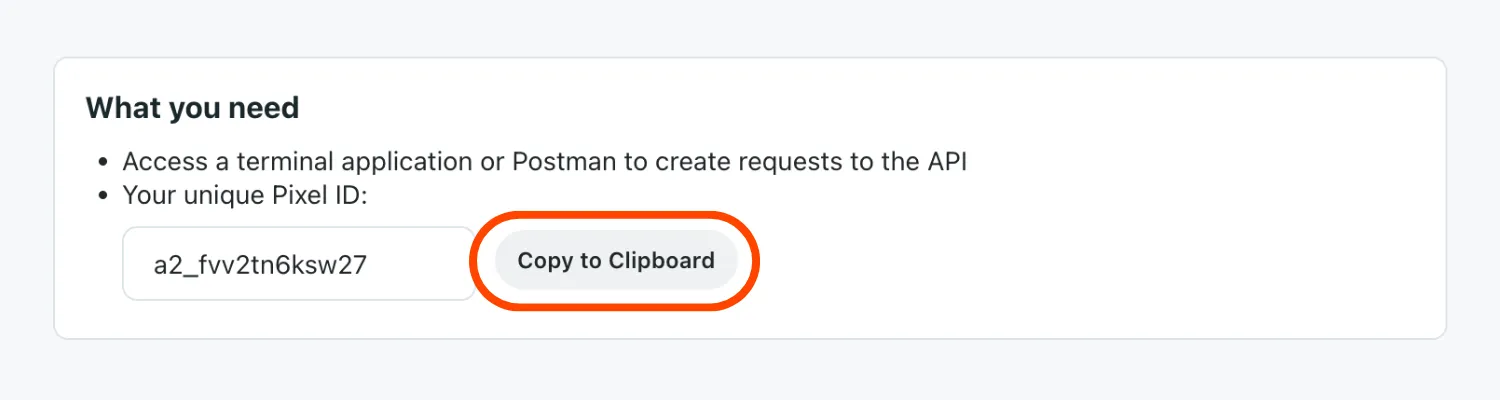
- Paste the value in a safe place.
2. Generate a conversion access token
Learn more about conversion access tokens.
- Select Generate Access Token.
- Give your token a name, like My Reddit Conversion Token.
- Select Generate to create your token.
- Select Copy to Clipboard & Close.
This value cannot be retrieved later. You’ll need to generate a new token.
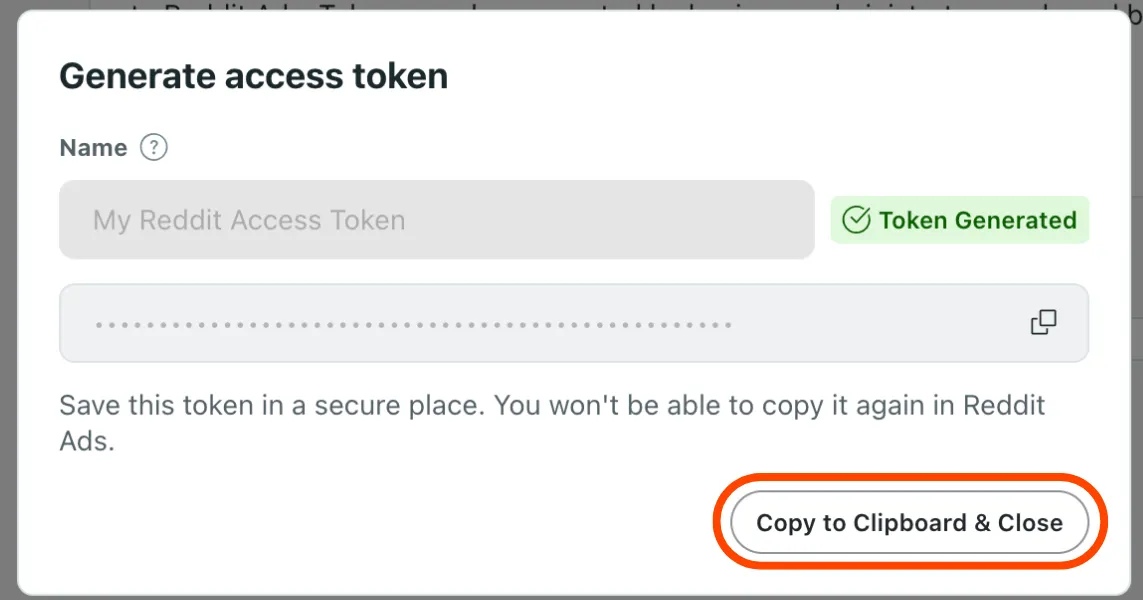
- Paste the value in a safe place.
3. Set up events
Access your website’s server and configure conversion events to the following endpoint:
https://ads-api.reddit.com/api/v2.0/conversions/events/{{pixel_id}}
You can send standard conversion events, custom conversion events, or both. If your event is well-formatted and valid, you’ll receive a response like this:
{"message":"Successfully processed 1 conversion events."}
or this:
{"message":"In test mode. 1 conversion events were validated but not processed."}
Custom conversion events
To send a custom conversion event, set tracking_type to "Custom" and assign custom_event_name to a value that doesn’t match our pre-existing events. This free-form and case-sensitive value may use any UTF-8 character up to 64 characters, including spaces. For example, Promotion Event and PromotionEvent will be considered two distinct events.
Only the 20 most recent custom events will be visible on the dashboard.
"events": [
    {
      "event_at": "{{ISO 8601 date and time}}",
      "event_type": {
        "tracking_type": "Custom",
        "custom_event_name": "{{Event name}}"
      }
    }
  ]
Action source
Action source identifies whether a conversion happened online, offline, or through another source. This is used for source-level conversion metrics in reporting.
If left null, this defaults to WEBSITE.
Set up this parameter in "events":
"events": [
  {
    "action_source": "WEBSITE"
    ...
  }
]
Event deduplication applies only for events in the same channel.
Match keys
Match keys are identifiers you can share with conversion events and are crucial to help match conversions to a Reddit Ads engagement like a view or click. To increase attribution accuracy, we strongly recommend sharing these signals:
click_idemailphone_numberuuidip_addressuser_agentscreen_dimensions
You can set up these parameters in "events":
"events": [
  {
    "click_id": "12345",
    "user": {
      "ip_address": "192.168.0.1",
      "user_agent": "Chrome/98.0.4758.102",
      "screen_dimensions": {
        "width": 1920,
        "height": 1080
      },
      "uuid": "1677712978045.b8f7eb7d-b357-437b-8bd3-e1c8166c7132",
      "email": "example@email.com",
      "phone_number":"+15554441234",
      "external_id": "customer12345",
      "idfa": "8A2E4F6D-0852-4B2A-B9D5-79334DE14B16",
      "aaid": "38400000-8cf0-11bd-b23e-10b96e40000d"
    }
  }
]
Some signals can be shared unhashed or pre-hashed. If you’d like to hash signals, we recommend using SHA-256 and following the hashing guidance.
Hashing email addresses
Email addresses should be formatted like example@email.com. Events with invalid values—such as ‘First Last’ <example@email.com>—will still be accepted, but a warning will appear in the Events Manager.
The email address must be canonicalized before hashing:
- the address should be lowercase
- the local part of the address should have any dots removed, and any text after a plus sign should be removed
- SHA-256 should be used to hash the identifier, and 64 lowercase hex digits should be given
For example, alice@example.com and Al.ice+Apple@Example.Com should both hash to ff8d9819fc0e12bf0d24892e45987e249a28dce836a85cad60e28eaaa8c6d976.
Here’s a breakdown for the example of Al.ice+Apple@Example.Com:
- the address should be lowercase (
Al.ice+Apple@Example.Combecomesal.ice+apple@example.com) - the local part of the address should have any dots removed, and any text after a plus sign should be removed (
al.ice+apple@example.combecomesalice@example.com)
Hashing phone numbers
Phone numbers should be formatted like +15554441234. Events using invalid formats—like +1 (555) 444-1234—will still be accepted, but a warning will appear in the Events Manager.
The phone number must be canonicalized before hashing:
- must contain the country and area code
- remove the extension
- remove all non-numeric characters, including spaces, symbols, and letters
- the number should start with
+ - SHA-256 should be used to hash the identifier, and 64 lowercase hex digits should be given
For example, +15554441234 and +1 (555) 444-1234 should both hash to e5b124c58580eb16bd959b8d0cac12b12c952e2ceae0203d416cff94f10b994a.
Here’s a breakdown for the example of +1 (555) 444-1234 ext. 789:
- remove the extension (
+1 (555) 444-1234 ext. 789becomes+1 (555) 444-1234) - remove non-numeric characters (
+1 (555) 444-1234becomes15554441234) - ensure it starts with
+(15554441234becomes+15554441234)
Hashing MAIDs
When passing an IDFA or AAID directly, it should follow the standard format. Events with invalid IDs—such as placeholder 00000000-0000-0000-0000-000000000000—will still be accepted, but a warning will appear in the Events Manager.
If you choose to pre-hash the identifier, it should follow a canonical format:
- an IDFA should be uppercase hex digits
- an AAID should be lowercase hex digits
- the dashes should be included
- SHA-256 should be used to hash the identifier and 64 lowercase hex digits should be given
For example:
- an IDFA of
EA7583CD-A667-48BC-B806-42ECB2B48606can be hashed to70574fa9c8f498a7b2e5c8712b1126de7b1406fd02fdc591821c5bd33092fd1c - an AAID of
cdda802e-fb9c-47ad-9866-0794d394c912can be hashed tof23b554b2a8fb732a8b973733832e70f018da7bc294dfea289735a07d5dd2c9f
Hashing external ID
An advertiser-assigned custom identifier. We recommend passing an external ID with its corresponding click ID whenever possible.
- Example (unhashed):
customer12345 - Example (hashed):
a4cc2fc5adf58a029291c1514d273989113a1d05e1d753c1d0c3a848af7109cc
Event metadata
Event metadata is detailed information associated with specific actions or events. Setting up metadata shares more performance insights, and using a consistent conversion_id is crucial when using both the Pixel and CAPI for deduplication purposes.
We strongly recommend setting up conversion_id when using both Pixel and Conversions API. conversion_id signals can be shared unhashed or pre-hashed. If you’d like to hash it, we recommend using SHA-256.
You can set up event metadata by adding additional parameters to "event_metadata":
quantity and item_price are not replacements for item_count and value_decimal or value, which are used for optimization and strongly recommended for revenue-related events.
"events": [
  {
    "event_metadata": {
      "item_count": {{Number of items}},
      "currency": "{{ISO 4217 3-letter currency code}}",
      "value_decimal": {{Value (decimal)}},
      "conversion_id": "{{Unique ID of the conversion event}}",
      "products": [
        {
          "id": "{{SKU or GTIN}}",
          "name": "{{Title of the product}}",
          "category": "{{Product group}}",
          "quantity": {{Number of this product}},
          "item_price": {{Unit price}}
        }
      ]
    }
  }
]
Opt out users
We offer the data_processing_options parameter to help your compliance needs, including opting out users if they have not consented to behavioral targeting. Learn more about Limited Data Use (LDU).
"data_processing_options": {
    "modes": [
        "LDU"
    ],
    "country": "US",
    "region": "US-CA"
}
4. Set up deduplication
Did you set up event deduplication with the conversion ID? Check out the event deduplication panel for details on deduplication effectiveness.
If you implement both the Reddit Pixel and CAPI and the same events are shared across both sources, deduplication is necessary to prevent double-counting. Deduplication occurs every hour. When duplicates are detected, the event(s) with less event metadata and match keys be marked as a duplicate(s). If all events are of equal quality, the earliest event(s) will be preferred.
Reddit supports two methods: conversion ID and session-based deduplication. For deduplication to occur, events must match one of these methods and be of the same event type. For custom events, the event name must also match. Events that meet these conditions will be evaluated for deduplication. A log of deduplicated events is available for up to seven days.
Events must be sent within two days for proper deduplication.
If you share different conversion events for the Reddit Pixel and Conversions API, you don’t have to worry about deduplication.
Conversion ID (recommended)
This method is always preferred when a conversion ID is provided.
View your deduplication details in the deduplication panel.
You can pass a unique conversion ID through the Pixel and CAPI for every distinct conversion event. When this method is chosen, the event with the lower quality will be marked as a duplicate. If equal, the later event will be considered a duplicate.
This method is the most accurate way to ensure proper deduplication and minimize the risk of integration errors and attribution inaccuracies.
To ensure your events are deduplicated:
- Create a unique conversion ID for every distinct conversion event. You can set this as a random number or ID. Similarly, you could set this to the order number when tracking purchase events. Learn more about generating unique conversion IDs.
- Include the event in the Reddit Pixel and CAPI.
- Ensure the conversion ID for its corresponding events matches.
If the conversion ID is improperly passed to too many multiple events, those events will be marked as duplicates and will not be attributed, impacting campaign performance.
Session-based deduplication (default)
This method isn’t used when a conversion ID is provided, and it won’t mark events as duplicates if they’re sent only from the Pixel or only from CAPI.
This deduplication method determines which source—the Pixel or CAPI—is providing higher-quality events within a session. A session is a series of events from a single user where no more than five minutes pass between two consecutive events.
To enable deduplication, include either a UUID or external ID on all Pixel and CAPI events. We recommend choosing UUID since it’s automatically passed with Pixel events.
When this deduplication method is used, an integration type–CAPI or the Pixel–is selected for each session based on the number of attributable events, or the source that sent the earliest event if both are equal.
The events from the selected source will be used for attribution. The other events will be filtered out to keep your reporting accurate.
Generate unique conversion IDs
We recommend generating the conversion ID based on attributes unique to each event. For example, you could set it as the hash of the timestamp, event type, metadata parameters, and user parameters. This way, there will be a unique conversion ID for each unique event, removing the risk of mistakenly deduplicating them.
Here’s one way you can do this in JavaScript:
const crypto = require('crypto');
function generateConversionID(event_at, tracking_type, metadata_value, ip_address) {
    // Concatenate the input values
    const inputString = event_at + tracking_type + metadata_value + ip_address;
    // Create a SHA-256 hash of the concatenated string
    const hash = crypto.createHash('sha256');
    hash.update(inputString);
    // Return the hash in hexadecimal format
    return hash.digest('hex');
}
// Example usage
const event_at = '2024-09-04T12:34:56Z';
const tracking_type = 'Purchase';
const metadata_value = '100.00';
const ip_address = '192.168.1.1';
const conversionID = generateConversionID(event_at, tracking_type, metadata_value, ip_address);
console.log('Generated Conversion ID:', conversionID);
Things to know
- Events must be sent within two days to ensure proper deduplication.
- When deduplicating using conversion ID, the event with more event metadata and match keys is preferred.
- Deduplication isn’t necessary when sharing different events with the Reddit Pixel and CAPI.
- If a conversion ID is used for both integration types, that method will be preferred. Otherwise, session-based deduplication will apply.
- View reporting for your events either on the dashboard or with
POST Get a Report.
Verify conversion events
Verifying your CAPI integration will let you know it's accurately tracking events across all browsers and devices. If you don’t do this, you may experience ad delivery and measurement challenges.
We recommend implementing both the Pixel and CAPI to optimize campaign performance. Sharing the same events using both implementations can help minimize signal loss and achieve more efficient results, but may cause events to be double-counted. Set up event deduplication to avoid attribution and reporting discrepancies.
We also recommend passing match keys for better match rates and higher attribution rates. This lets you pass high-quality match keys and identifiers (like email, IP, and click ID) using your implementations to increase conversion attribution.
Conversion events can be verified using these methods:
- Events Manager: Trigger conversion events in real time to see if your events are being captured. Third-party cookies must be enabled in your browser settings for event testing. This method is recommended for quick and simple testing.
GET Get Last fired at: Retrieve the latest time conversion events were sent, in ISO 8601 format.POST Get a report: Get a report for a your conversion events. This method is recommended for verifying custom conversion events.
Events Manager
1. Check signal delivery
- Go to the Events Manager and check that all your standard and custom conversion events are listed. If any of your events aren’t listed, add those events to your integration.
- Recommendations for conversions: Ensure
Purchase,Lead, andSignUpare included. - Requirements for dynamic product ads (DPA): Ensure
ViewContent,AddToCart, andPurchaseare included.
- Recommendations for conversions: Ensure
- Verify that your total event counts make sense. For example, if you get a lot of traffic on your site,
PageVisitshouldn’t be low. - Check that your domain is listed if you’ve set up the Reddit Pixel. Learn more about undetectable domains.
You’ll always see undetectable domains for Conversions API, so you can safely ignore this step.
2. Verify events
Test events are subject to a rate limit of 10 events per second.
Batch events aren’t currently supported. Only one event per request will be displayed.
- Open Event Testing in the Ads Manager.
- Copy the test ID provided and set it as
"test_id”in the POST request. - Send test requests to the CAPI endpoint.
Remove “test_id” field from the request before deploying to production.
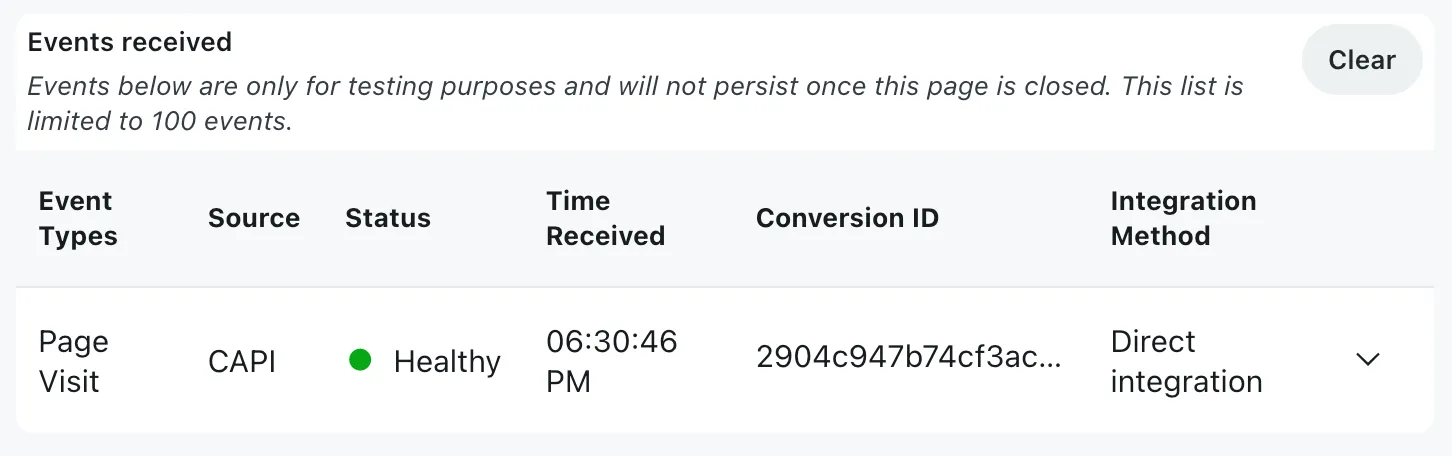
- Verify events display in Event Testing and that the metadata, match keys, and conversion ID match your request.
Events may be delayed for up to five seconds before appearing on the interface.
3. Trigger conversion events
Explore your site to manually trigger events and ensure the correct events are being captured. For example, when you add an item to your cart, an AddToCart event should fire.
If you're using the integration with DPA, we recommend configuring at least these actions:
| Action | Event |
|---|---|
| View a variation of a product | ViewContent |
| Add product to cart | AddToCart |
| Make a test purchase | Purchase |
The event status will be received if the event was configured correctly.
Some events may not be captured in Events Testing. If you don't see any event, try checking it with the Pixel Helper.
As you do that, those events will appear in the table with their status, timestamp, and setup method. Expand each event to reveal more information:
- Received Pixel ID: Your Pixel ID
- Conversion ID: The event’s unique ID, used for event deduplication
- Match keys: Shared user or device identifiers
- Metadata: More details relevant for the event
- Referrer URL: The page URL where the event is firing on
If you don’t see an event or you see an issue, the event was improperly configured. This means that the action may not be firing, which will affect your analytics. We strongly recommend troubleshooting errors as soon as possible. You can hover over issues to see information on event misconfigurations.
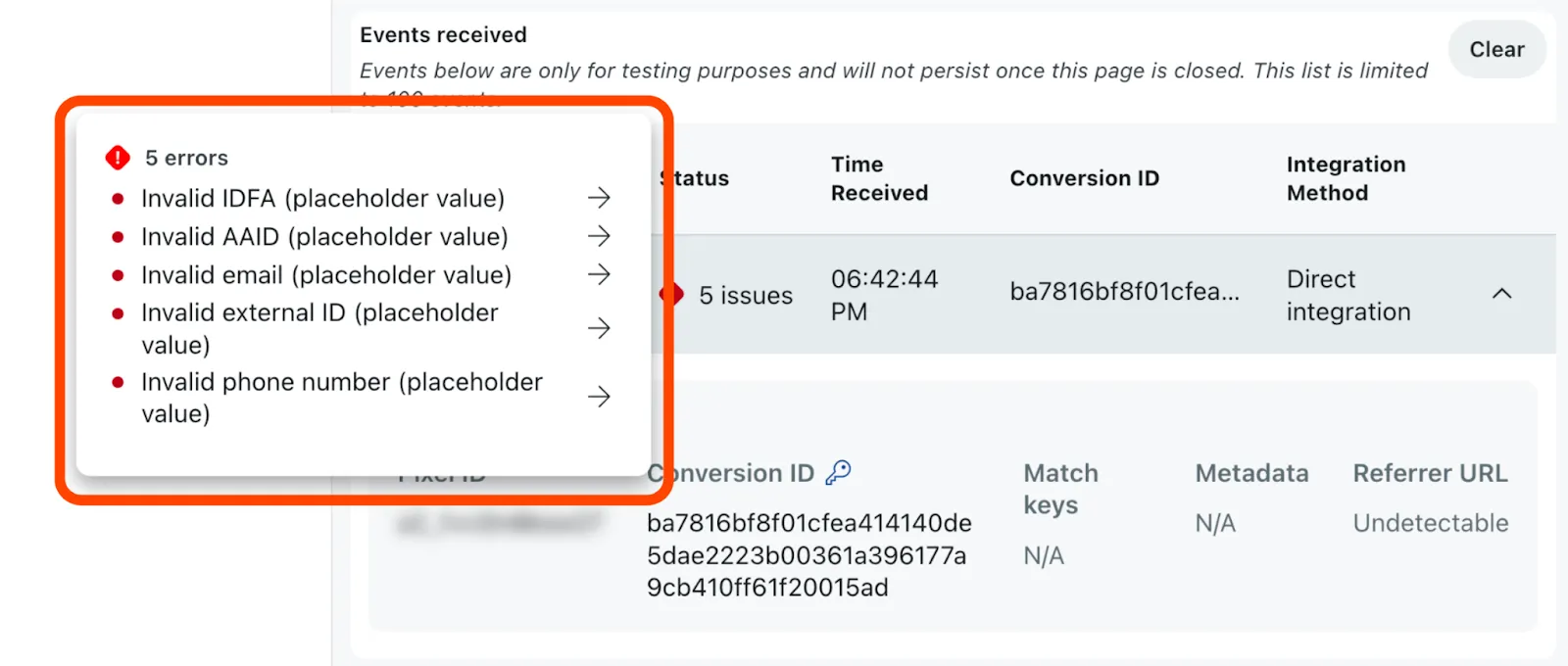
4. Troubleshooting errors
If any of your events have issues, you can review them in Diagnostics to view your most recent conversion event issues. Expand an issue to get more details and learn how to resolve it. If you decide not to fix it, select Ignore to move it to the Ignored tab. Issues may take up to 24 hours to clear after they've been resolved.
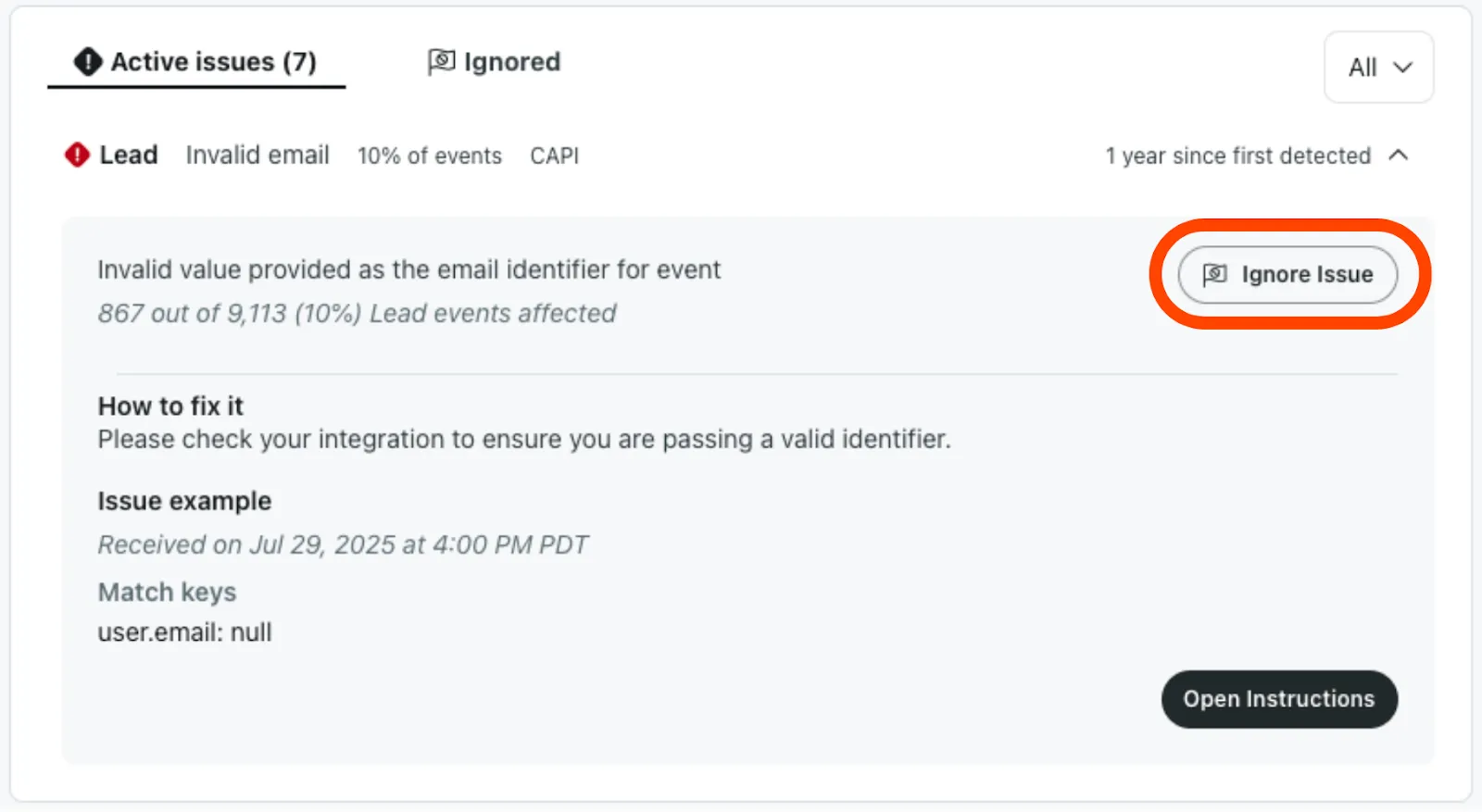
See more information on errors and warnings by expanding each conversion event. You must resolve errors for your integration to work properly. Warnings should be resolved, but your integration will still work if left unresolved.
Diagnostics will not call out product metadata not passing. We strongly recommend using the Pixel Helper to check that this type of metadata is being passed.
Common errors
| Issue | Description |
|---|---|
Metadata value is provided, but currency is missing | A value was provided without a currency. We’ll try to default to your account's chosen currency if available. Otherwise, it will be left empty. Check that a currency is being passed to remove this error. |
The same conversionId was provided for too many events | The same conversion ID was provided for more than 100 events. Pass a unique conversion ID for distinct conversion events. |
Invalid conversionId provided for event | An invalid conversion ID was provided for the event. Change the conversion ID to a value not equal to one of the following:
|
| Invalid UUID | An invalid UUID was provided for the event. Ensure the UUID is formatted like XXXXXXXX-XXXX-XXXX-XXXX-XXXXXXXXXXXX. Learn more about the standard GUID format. |
| Invalid phone number | An invalid phone number was provided for the event. Ensure the phone number is formatted like +15554441234. |
| Invalid click ID | An invalid click ID was provided for the event. Ensure the number matches the one provided for rdt_cid in the URL. Tip: Open your ad and select your destination URL to find your click ID. Learn more about generating test URLs. |
| Placeholder value provided | Placeholder values for customer match keys haven’t been changed. Replace these values or remove the parameters from your integration. |
| Invalid data processing mode provided for event | An unsupported value was provided for the data processing mode. Check that the data processing mode is set to LDU. |
Common warnings
| Issue | Description |
|---|---|
| Event not supported | The event type provided isn’t supported. Set one of our supported events. |
| Missing custom name | You’ve set this event as a custom event, but haven’t added a custom event name. Set a custom event name and try again. |
| Invalid metadata | Check that you’re passing supported event metadata and that values are in the right format:
|
| Currency doesn’t match your account’s currency | The currency doesn’t match your account’s currency. Check that the event currency matches your account's currency. |
| Currency was provided without a value | Currency was provided, but a value is missing. Check that value metadata is being passed. |
| Invalid email | The email provided is invalid or equal to the email of your ad account. Ensure the email is formatted like example@email.com. |
| Product not in catalog | The provided product ID doesn’t match a product in your catalog. Ensure that this ID can be found in your catalog. |
| Missing integration type | Your 1x1 Image Pixel is missing its integration type. Add integration=noscript to your implementation. |
| Invalid integration type | Your 1x1 Image Pixel is using an invalid integration type. Ensure integration is set to noscript. |
POST Get a report
Get a report for a custom conversion event by requesting conversion_custom_event_{{index}}_{{field}} in fields for POST Get a report.
Reporting returns conversion data based on the attribution window selected in the Ads Manager.
1. Fix the index mapping
Call GET Last Fired At and use custom_events in the response to map custom event labels. If your fields are valid, you’ll receive a response like this:
{
    "data": {
        // Additional fields here
        "custom_events": [
            {
                "last_fired_at": "2024-03-12T00:58:29.862000+00:00",
                "name": "my_custom_conversion_event"
            },
            {
                "last_fired_at": "2024-03-11T19:03:32+00:00",
                "name": "begin_checkout"
            },
            {
                "last_fired_at": "2024-03-12T00:59:05.981000+00:00",
                "name": "login"
            },
            {
                "last_fired_at": "2024-03-11T08:03:41.323000+00:00",
                "name": "select_item"
            },
            {
                "last_fired_at": "2024-03-10T23:36:53.844000+00:00",
                "name": "share"
            }
        ]
    }
}
The custom conversion events will be listed by their index in ascending order, starting with 1. For example, the first conversion event will have an index of 1.
2. Get the report for a custom event
Fetch data for custom conversion events by calling POST Get a report and setting conversion_custom_event_{{index}}_{{field}} for the field, where:
| Parameter | Requirements | Description |
|---|---|---|
{{index}} (integer) | Between 1 and 20 | The slot for the custom conversion event. For example, if your event was the first item in the custom_events array, you should set this to 1. |
{{field} (string) | Must include at least one of the following:
| The field that you want to be returned in your metrics. |
For example, to return click and view conversions for custom conversion event 1:
{
  "data": {
    "fields": [
      "conversion_custom_event_1_clicks",
 "conversion_custom_event_1_views"
    ],
    "starts_at": "2024-03-10T00:00:00Z",
    "ends_at": "2024-03-12T00:00:00Z"
  }
}
Data will be returned in the same format as standard conversion events. If your event is well-formatted and your fields are valid, you’ll receive a response like this:
{
    "data": {
        "metrics": [
            {
                "conversion_purchase_clicks": 7,
                "conversion_purchase_views": 0,
                "conversion_custom_event_1_clicks": 56,
                "conversion_custom_event_1_views": 0,
                "conversion_custom_event_3_clicks": 36,
                "conversion_custom_event_3_views": 0
            }
        ]
    },
    "pagination": {
        // Additional fields here
    }
}
Error handling
General errors
| Error | Description | Solution |
|---|---|---|
400 - Bad Request | User attempted to send invalid conversion events. | Check your event setup and try again. See the client error message for specifics. |
403 - Blocked | Insufficient authentication scopes or the user doesn’t have permission. Your app doesn’t have the proper scope for this request. | Check your access token and ensure you have the right permissions assigned for this action.If you’re using a developer access token, apply at least adsconversions to your scope. |
404 - Not found | The target account is invalid and can’t be found. This commonly happens if an incorrect Pixel ID is being used. | Check your Pixel ID in the API request. |
API does not specify timezone | The timezone hasn’t been specified. Data is returned in Universal Coordinated Time (UTC). | To specify a timezone, adjust the time offset in the date range. |
AdvertiserID {{Pixel ID}} is not authorized to post conversions to accountID {{Member ID}} | Your member ID isn’t authorized and isn’t showing up as a Reddit Ads account, which can happen when you’re not passing a bearer token in the request. | Double-check that you’re passing tokens properly. |
401 errors
| Error | Description | Solution |
|---|---|---|
Unauthorized | The user is trying to authorize with the wrong username or the account isn’t whitelisted. | Log out and log in to the correct account. If that doesn’t resolve the issue, contact your Reddit Ads expert to whitelist your account. |
unsupported_grant_type | Incorrect syntax was used. | Ensure a valid grant_type parameter is present. If that doesn’t solve the issue, check the cURL command and encoding method. For example, double quotes must be used around grant_type and code in the cURL command. |
429 errors - Too many requests
| Description | Solution |
|---|---|
Your user agent was automatically ratelimited. | Set your requests’ user agent header (user-agent) to a unique and descriptive string. |
You’ve reached the ratelimit for the endpoint. | Cache data retrieved locally or store the data in a database to avoid polling the API. If you need to backfill data, consider sending data in batches. For example, if pulling data for the last six months, request one month’s worth of data in each API request.Alternatively, set a retry logic and limit the amount of retries by implementing exponential backoff. |
500 errors
| Error | Description | Solution |
|---|---|---|
This advertiser is not allowed to perform this action | User hasn’t accepted an invitation to the account or the user has not been added to the account. | Accept the invitation to the business account in Business > Members. If you don’t see an invite:
|
Could not verify authorization | The API request specifies a member ID, instead of a business Pixel ID. | Ensure the ID matches the Pixel ID. You can find your Pixel ID in the Events Manager, and it should match the business account's Pixel ID found in Accounts. |
Best practices
-
Stay within the rate limits. You’re limited to 1,000 requests/second, 1,000 events/request, and 10,000 events/second.
-
Set a descriptive user agent. Many default user agents (like "Python/urllib" or "Java") are drastically limited to encourage unique and descriptive user agent strings. Make sure the user agent string in your requests is unique and descriptive. We recommend including the target platform, a unique application identifier, a version string, and your username as contact information, in the following format:
<platform>:<app ID>:<version string> (by /u/<reddit username>). Here’s an example:User-Agent: android:com.example.myredditapp:v1.2.3 (by /u/anagtest).Never lie about your user agent! This includes spoofing popular browsers and spoofing other bots. We ban liars with extreme prejudice.
Include the version number and update it as you build your application. This helps us safely block old buggy or broken versions of your app.
-
Use the Conversions API and Reddit Pixel together. This will improve conversion coverage, maximize campaign performance, and power better targeting and optimization tools. Your measurement will be more resilient and adaptable to the shifting advertising landscape.
Event deduplication is required for advertisers using both the Reddit Pixel and Conversions API.
-
Share as many matching signals as possible. Match keys are crucial to help attribute conversions to a Reddit ad engagement. These signals can be shared unhashed or pre-hashed. We strongly recommend sharing the IP address and click ID and suggest including the email address and user agent. If you’re integrating CAPI with the Pixel, we recommend sharing UUID.
-
Set an accurate action source. The action source identifies whether a conversion happened online, offline, or through another channel. Provide the correct source and its relevant match keys for accurate attribution and metric breakdowns. For example,
PHYSICAL_STOREevents should not send device matching identifiers, click ID, UUID, or MAIDs.Event deduplication only applies for events in the same channel.
-
Pass external ID when possible. External ID helps improve attribution accuracy for events from all action sources. We recommend passing an external ID that is unique to a single user.
Posts conversion events ready to be processed
Posts conversion events ready to be processed.