Create a Developer Application
Only business admins can access this interface. Contact one of your business's administrators for help.
Developer applications define the settings that determine how your app authenticates with the Ads API. These settings streamline workflows and enhance campaign management efficiency programmatically, enabling you to build custom tools to create and manage ad campaigns, generate reports, and manage custom audiences.
These settings can only be managed by business admins with a verified account. You can manage your developer applications in Business Manager > Developer Application.
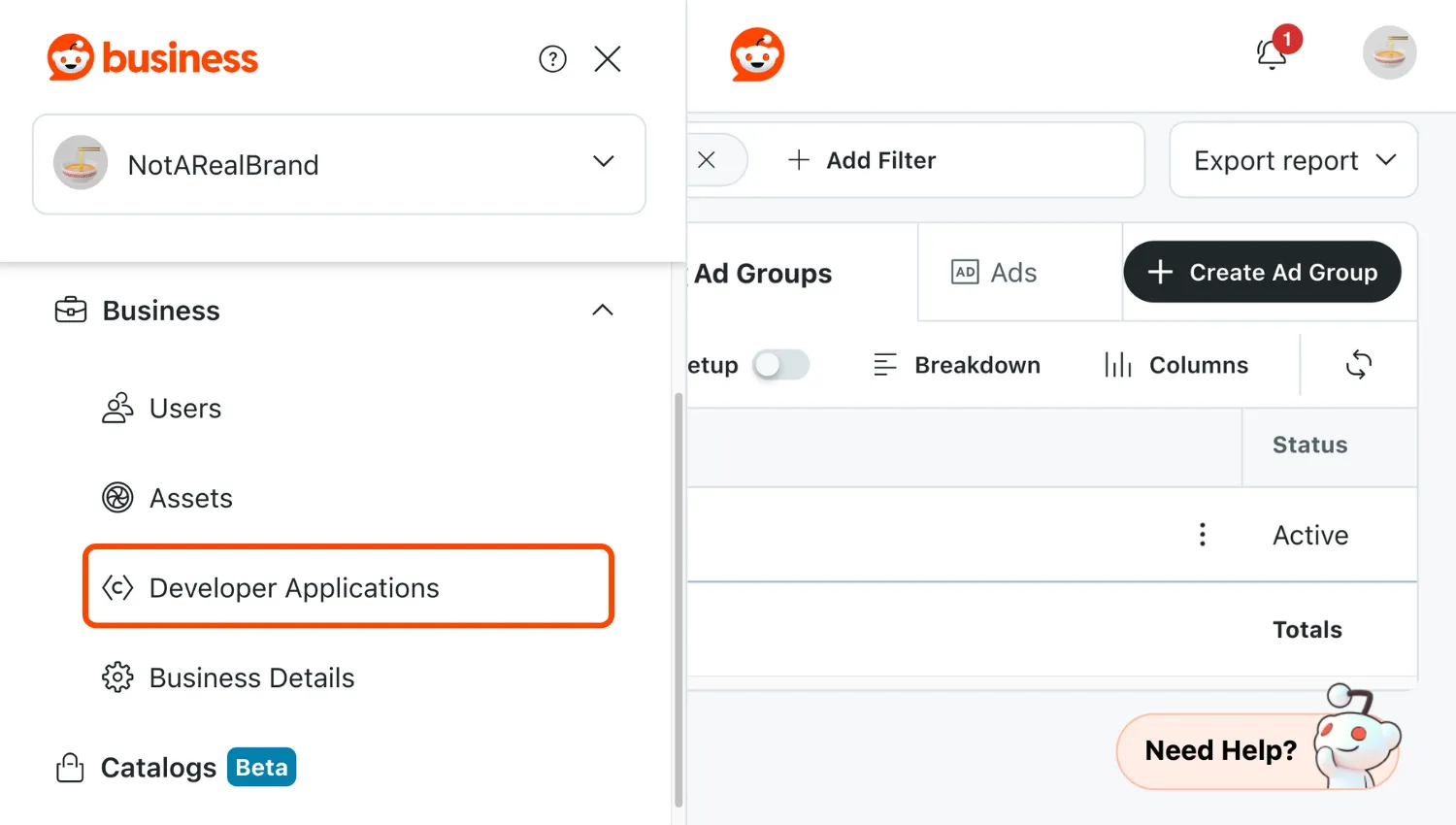
In this interface, you can:
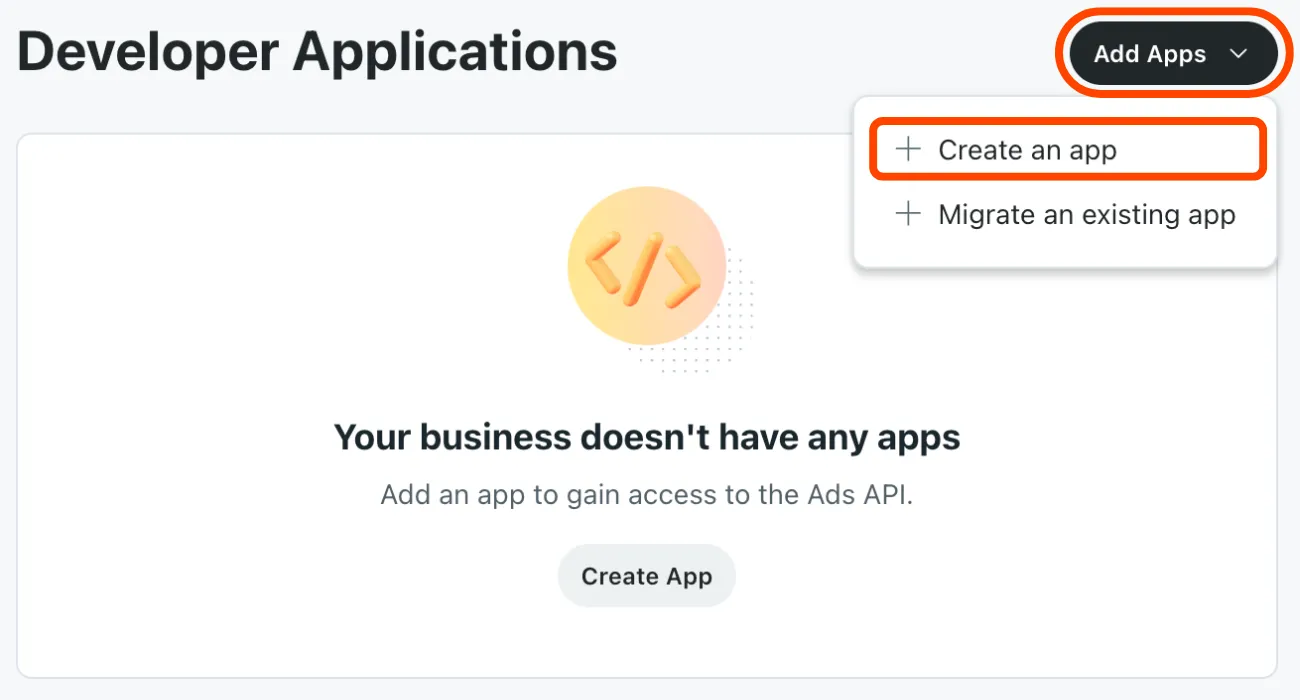
- Add an app: Create or migrate an existing developer application to define the settings for how your app authenticates with the Ads API.
- Edit an app: Change any setting for your application, excluding its app ID and secret.
- Delete your app: Remove this app from your business.
Deleting an app will disconnect all third-party services using it from the Ads API. This action can't be undone.
Create an application
- In the developer application interface, select Add Apps > Create an app.
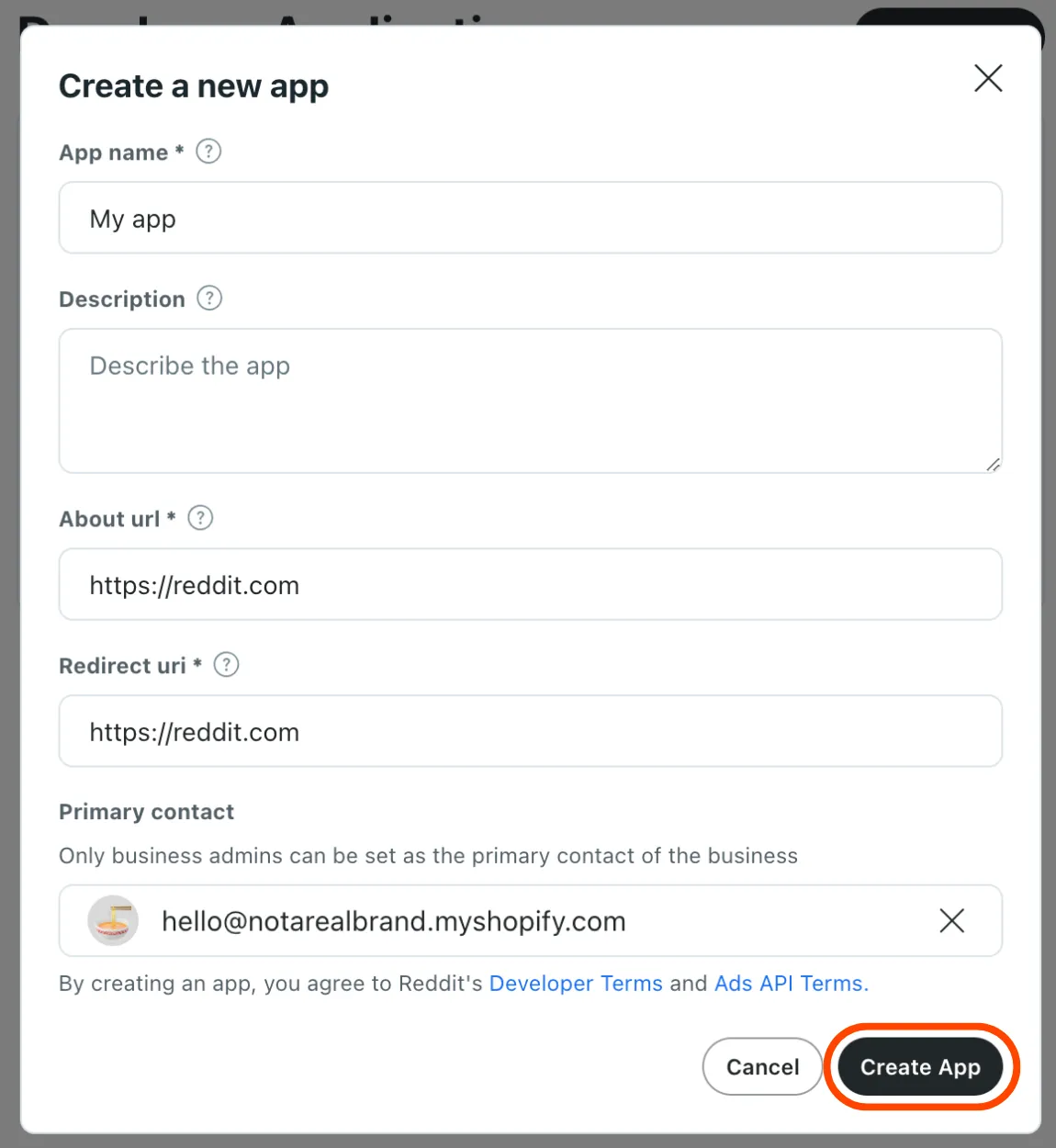
- Set up your app.
- App name: An appropriate and descriptive title. We recommend a name that reflects your business, product, or integration purpose. Avoid generic names like
Reddit IntegrationorTest. - Description (optional): Information about your app.
- About URL: The URL that provides more information about your business or application.
- Redirect URL: The URL to authorize access to your application. We recommend setting a path on your business domain, like
https://mybusiness.com/oauth/callback. - Primary contact: The business admin responsible for this app, who may be contacted for operational updates related to the Ads API. This must be set to a business admin. Here's how to set this permission.
- App name: An appropriate and descriptive title. We recommend a name that reflects your business, product, or integration purpose. Avoid generic names like
- When ready, select Create App. This will save your app and generate its secret and app ID.
Migrate an application
Migration will limit your app's scope to the Ads API. Follow our authentication guide to set up access to Devvit.
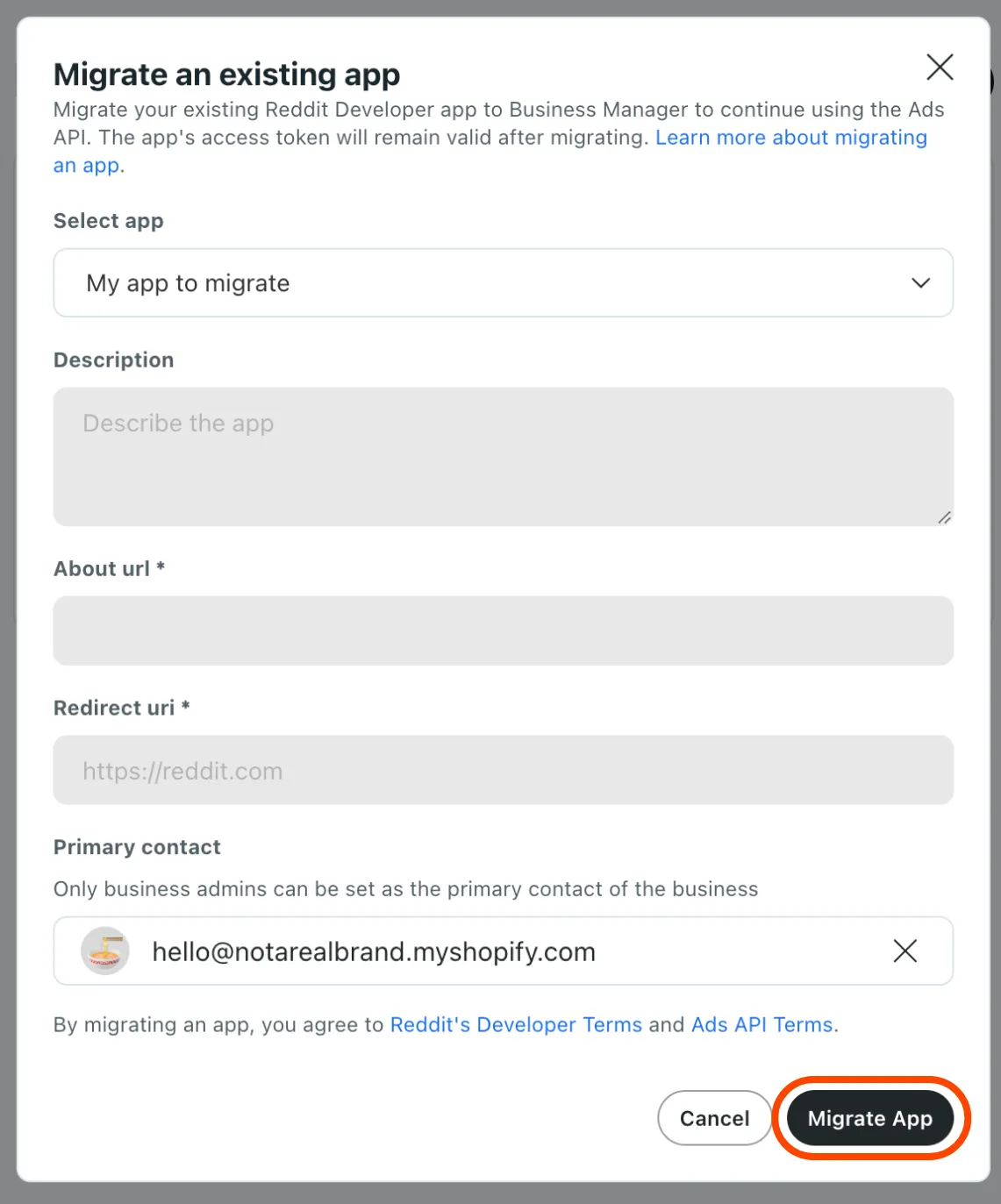
- In the developer application interface, select Add Apps > Migrate an existing app.
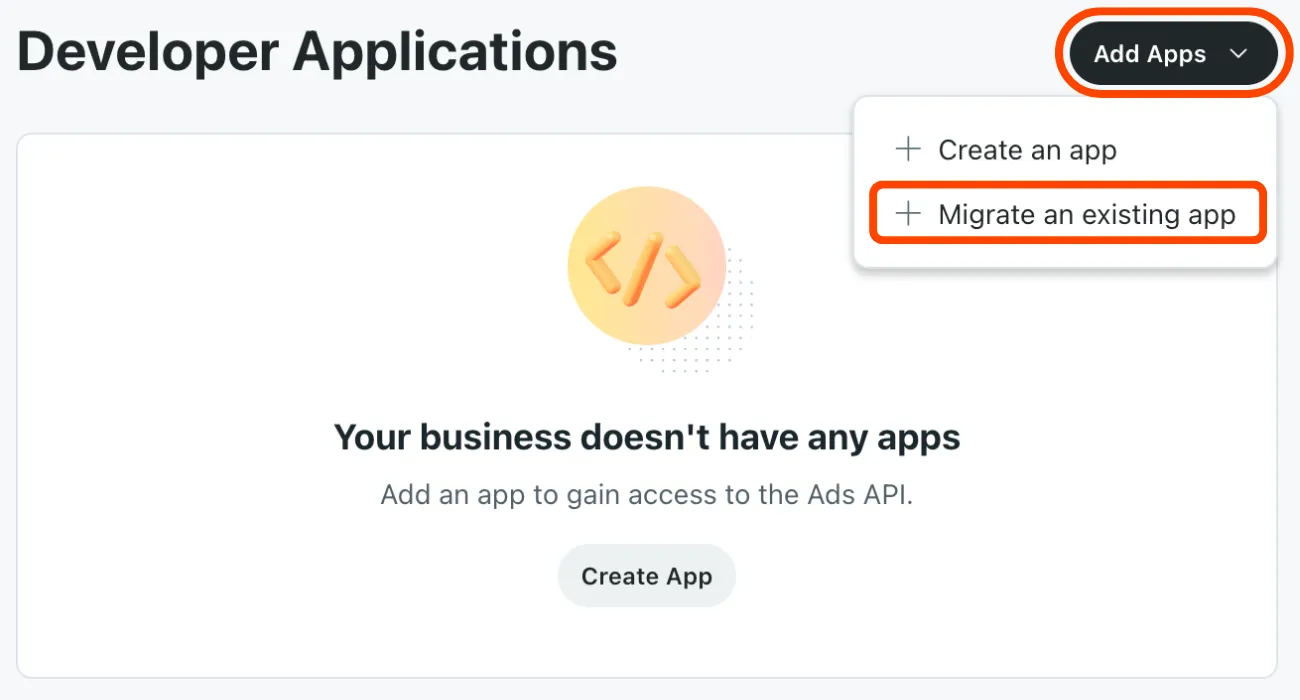
- Select the app to migrate.
- Choose a primary contact for your app. This must be set to a business admin.
- When ready, select Migrate App. This will make your app only available to manage in the developer application interface and remove it from Preferences > Apps.
Things to know
- A member cannot be removed from your business if they're an active primary contact.
- You agree to the Advertising Platform Terms, Developer Terms, and User Agreement when creating or migrating an app.
- Migrating an application will limit your application's scope to only the Ads API. Follow our authentication guide to set up access to Devvit.
- After creating your application, finish set up by authenticating it.